An operating system,
from the ground up.
Tao is written in Go, from the boot loader to the apps: its own kernel, network stack and window system, with everything signed and your files encrypted.
amd64 and arm64 · released 5 November 2026
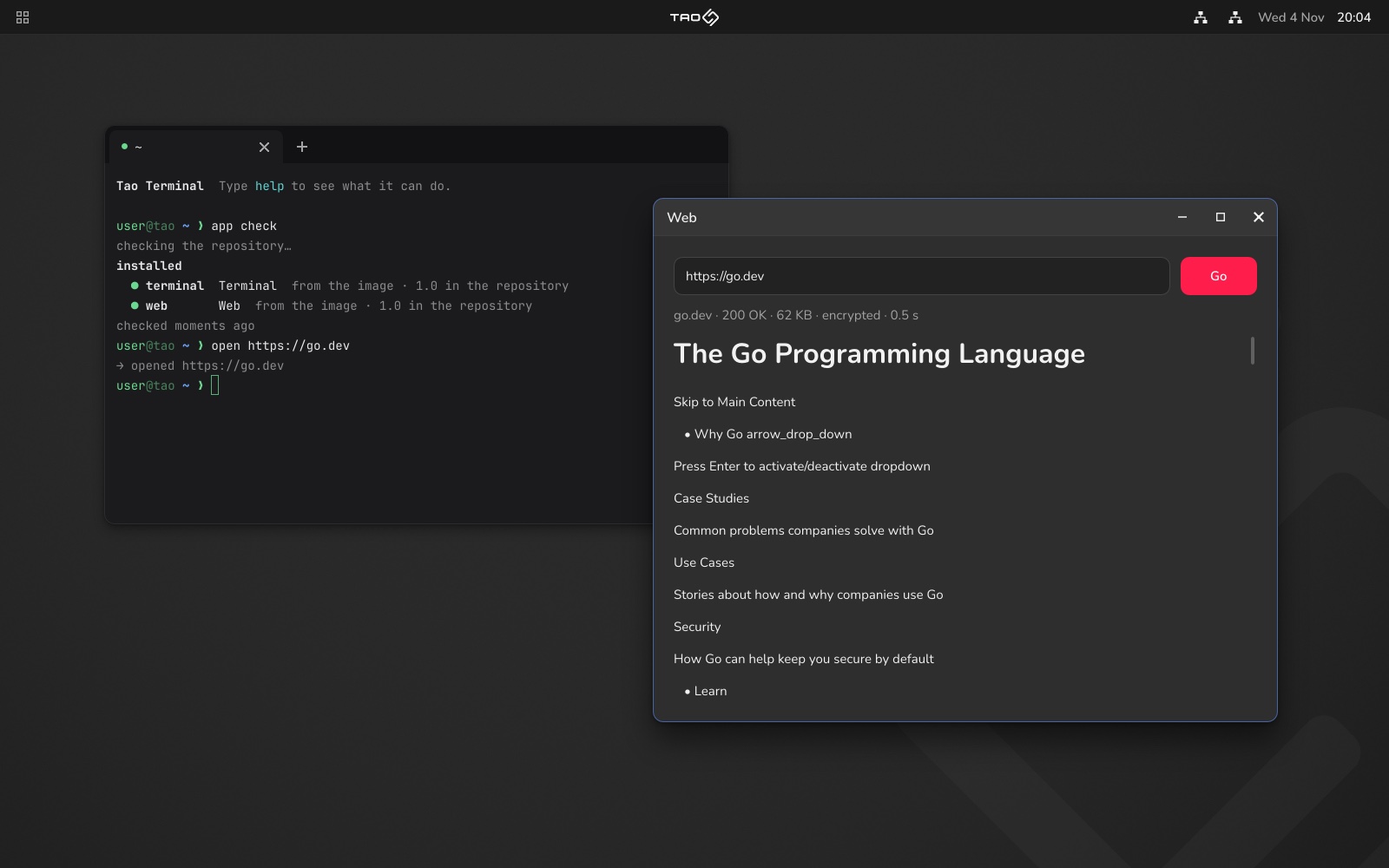
Windows on a desktop.
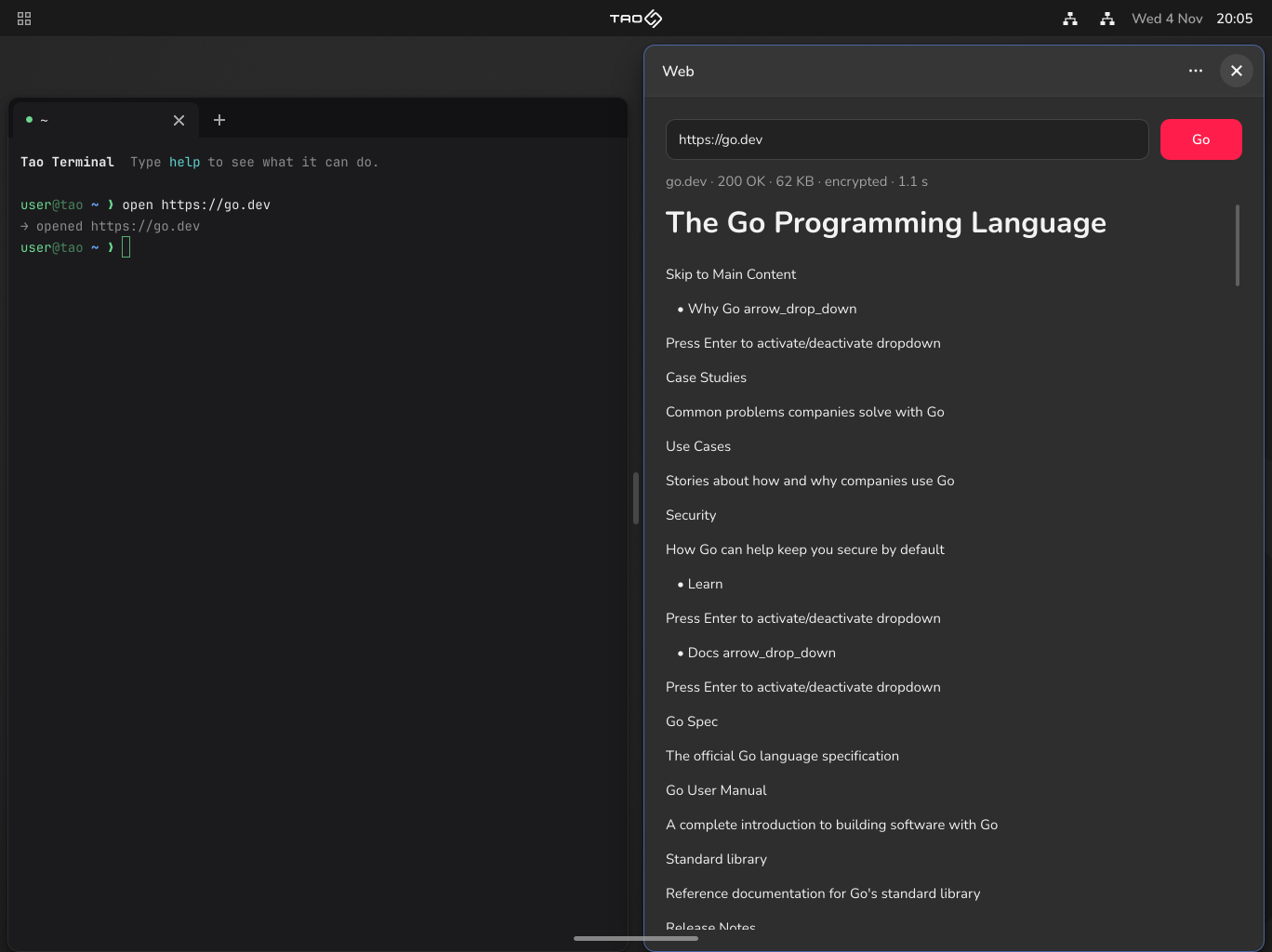
Side by side on a tablet.
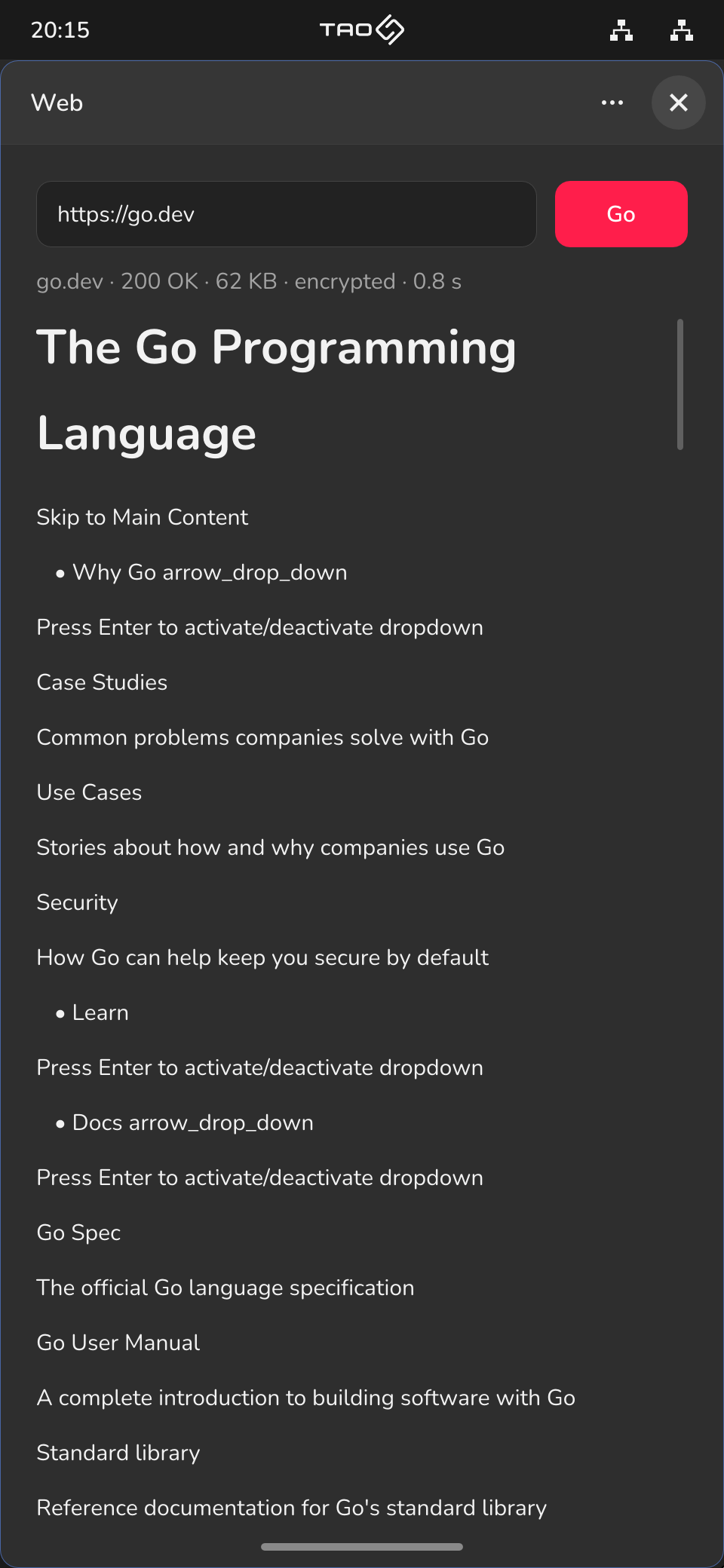
One at a time on a phone.
Tao lays itself out for the screen it is on, and for the hand using it: pointer or finger, every control is big enough to hit.
From the ground up, literally.
Tao is seven layers on your hardware, and every one of them is Tao's own, written in Go. The bars are how much code each one is.
Apps
cmd/terminal/The Terminal and Web, installed like any other app, each kept to its own folder.
Apps service
cmd/apps/Installs apps from Tao's repository, and checks every file against keys built into the system.
Compositor
cmd/compositor/Draws every window, and lays them out for a desktop, a tablet or a phone.
Network
inet/Ethernet to TCP, written for Tao, with a firewall in layers you can see and change.
Files
taofs/A filesystem encrypted with your passphrase; apps ask before they reach your folders.
Kernel
kernel/Runs on every core, and keeps each program in an address space of its own.
tao-boot
boot/Starts from UEFI, and checks the kernel's signature before running a line of it.
Try Tao.
Tao is early work: expect it to change. It starts on 64-bit PCs and Arm machines with UEFI firmware, and in virtual machines.
Tao 0.0.8
SHA-256 hashes
tao-0.0.8-amd64.img f86acf7211c1ddc0d3cdbe8bc950cee4a065fff9711ff01472781a82b83f1ce6tao-0.0.8-amd64.iso 4cad8156b14b80151fbfe9d2ff8a8bd729e670bf9bf2a39242accc33393fa7f7SHA-256 hashes
tao-0.0.8-arm64.img fb2179825e685ad6fedbe3fe222dc9af5907f21bc40852a73b19a3f2c0fd613ctao-0.0.8-arm64.iso 8b93fe57904a9e81918bfc026fb6f1d4060daec96c262211236ab8a818053728On an Apple silicon Mac, the arm64 release runs at full speed in QEMU (from Homebrew):
qemu-system-aarch64 -machine virt,gic-version=3 -accel hvf -cpu host -smp 4 -m 2G \
  -bios "$(brew --prefix qemu)/share/qemu/edk2-aarch64-code.fd" \
  -drive file=tao-0.0.8-arm64.img,format=raw -device ramfb \
  -device virtio-keyboard-pci -device virtio-tablet-pci \
  -netdev user,id=net -device virtio-net-pci,netdev=net
# Check it's the file we published: the hash should match the one above.
~ ❯ shasum -a 256 tao-0.0.8-amd64.img
f86acf7211c1ddc0d3cdbe8bc950cee4a065fff9711ff01472781a82b83f1ce6  tao-0.0.8-amd64.img

# Write it to a USB stick, or use a tool such as balenaEtcher.
# Careful: of= must name the stick, not your own disk.
~ ❯ sudo dd if=tao-0.0.8-amd64.img of=/dev/your-stick bs=4M

# Start the PC from the stick, with UEFI and Secure Boot turned off.
# In a virtual machine, use the image as its disk, or the ISO as its CD.